 Klavierlicht
New keyboard for Christmas: how to play on day one
There is a keyboard under the tree, and you would rather play than spend weeks reading manuals. You can: in ten minutes it is connected and your first piece is running. Klavierlicht guides you; you do the playing. If you are giving the keyboard as a gift, you can hand this page along with it.
1. Connect the keyboard
- iPad with USB-C: plug the keyboard straight into the iPad with a USB cable.
- iPad with Lightning: you need Apple's Lightning to USB Camera Adapter. If the keyboard has no power of its own, take the version with an extra power port.
- Bluetooth MIDI: if your keyboard has Bluetooth, on iPad tap the MIDI indicator at the top of the app to open Apple's Bluetooth pairing dialog. On a Mac, pair it once in the Audio MIDI Setup app.
- Mac: plug the keyboard in by USB, nothing more.
You need no drivers if the keyboard is class-compliant. Most are; it is usually in the manual or on the box.
2. Your first piece in 10 minutes
- Download Klavierlicht from the App Store. It is free, with no account.
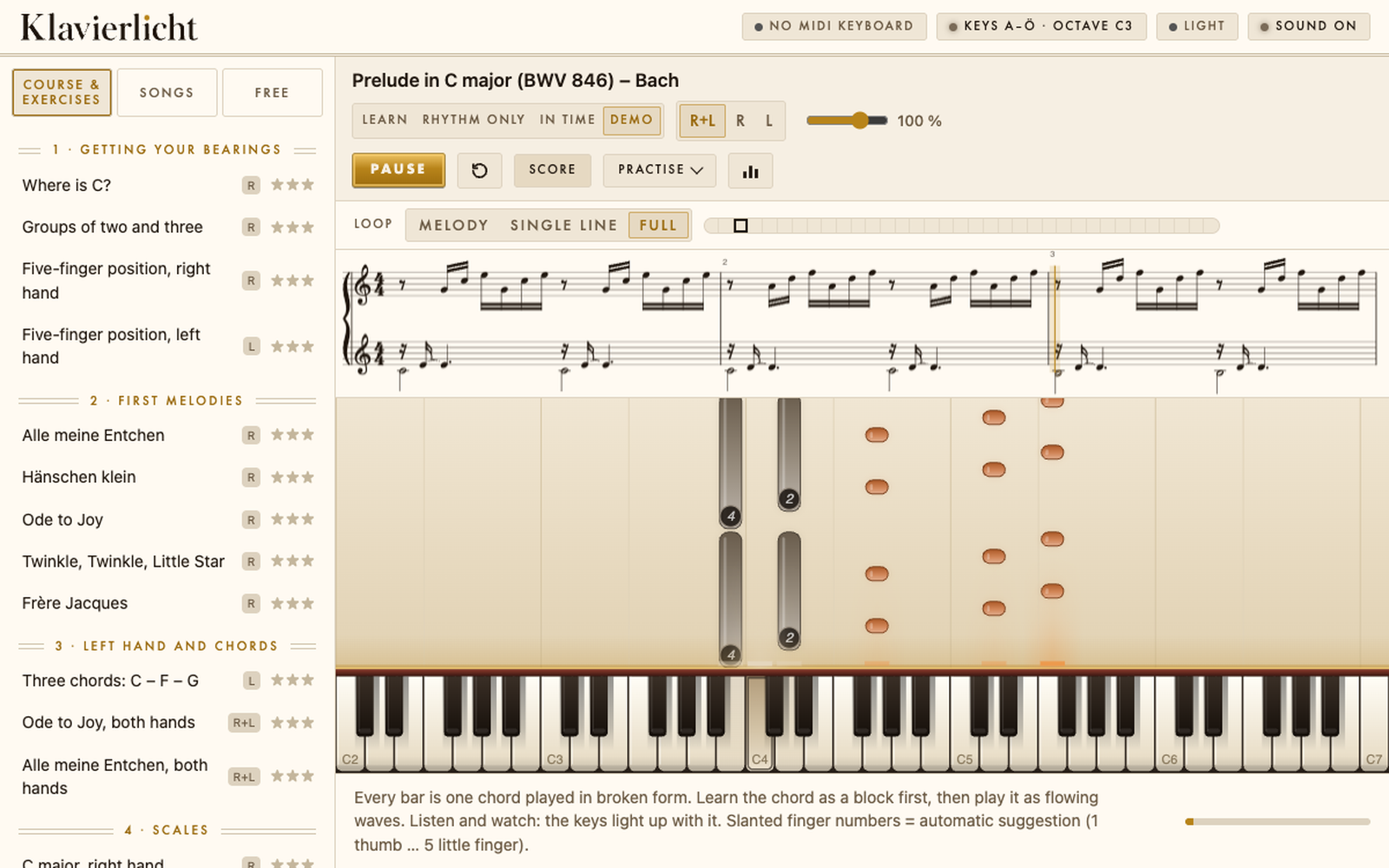
- Pick a trial piece. The notes fall as bars onto the keyboard, with the finger number inside the bar.
- Start slowly. Too slow is better than too fast.
After that Klavierlicht practises with you: it finds the weak bars and repeats exactly those at a rising tempo. First one hand, then the other, then both together.
3. Your own pieces
You can load your own pieces as a MIDI or MusicXML file. One piece of your own is free forever, with all features. On top of that there are 222 public-domain classical pieces, from a first minuet to well-known openings.
4. Why no subscription?
You buy Klavierlicht once. Many learning apps run as a yearly subscription. Here are the prices at a glance, in Swiss francs.
| App | Pricing | Per year | Cost over 2 years |
|---|---|---|---|
| Klavierlicht, iPad only | one-time | nothing more | CHF 6 |
| Klavierlicht, iPad and Mac | one-time | nothing more | CHF 29 |
| Simply Piano | yearly subscription | CHF 124 to 190 | from CHF 248 |
| flowkey | yearly subscription | from CHF 120 | from CHF 240 |
| Skoove | yearly subscription | CHF 124 to 155 | from CHF 248 |
| Synthesia | one-time | nothing more | CHF 7 (iPad); key for several devices 39 USD |
Klavierlicht: free to download, unlock once, CHF 6 for iPad or CHF 29 for iPad and Mac. An AI analysis is optional and only with your consent.
Frequently asked questions
Which keyboard do I need?
Any MIDI keyboard with USB or Bluetooth MIDI that is class-compliant works without drivers, which is most of them. 49 or 61 keys are enough to start; touch-sensitive keys feel more natural to play.
Does it work without MIDI?
Yes, with the microphone mode for an acoustic piano. It is a beta: it works best on single notes and is less exact on chords. With a MIDI keyboard, Klavierlicht is more accurate.
Do I need an account?
No. No account, no ads. Music, history and settings stay on your device.
What does it cost?
The app is free to download. Unlock it once: CHF 6 for iPad, or CHF 29 for iPad and Mac. No subscription.
Let's play
Download the app, connect the keyboard, play your first piece.
 for iPad and Mac
Keep reading: Practising piano with a MIDI keyboard: how to get more out of your practice